Give monthly by stop order
A stop order is an instruction to your own bank to pay KIG the same amount every month. You set it up once. You can change it or stop it at any time.
Why we prefer stop orders
- You never have to remember. Your support arrives every month, with no reminders and no missed months.
- KIG can plan ahead. Pump stations fail without warning. A steady income lets us fix them quickly and order parts before they are needed.
- No paperwork for your tax certificate. Register once and we send you one Section 18A certificate a year, instead of you applying after every payment.
- All of your donation reaches the work. No card or online-payment fees are taken off it.
Why a stop order, and not a debit order?
Stop order: you are in control
- You set it up with your own bank.
- You can change or stop it yourself, whenever you wish, without asking anyone.
- KIG never sees or keeps your bank account details.
Debit order: the organisation is in control
- You give the organisation your bank details and permission to take the money.
- To stop it, you have to ask the organisation to stop it.
- The organisation has to store and protect your bank details.
That is why KIG does not run debit orders. Your money, your decision.
What you need
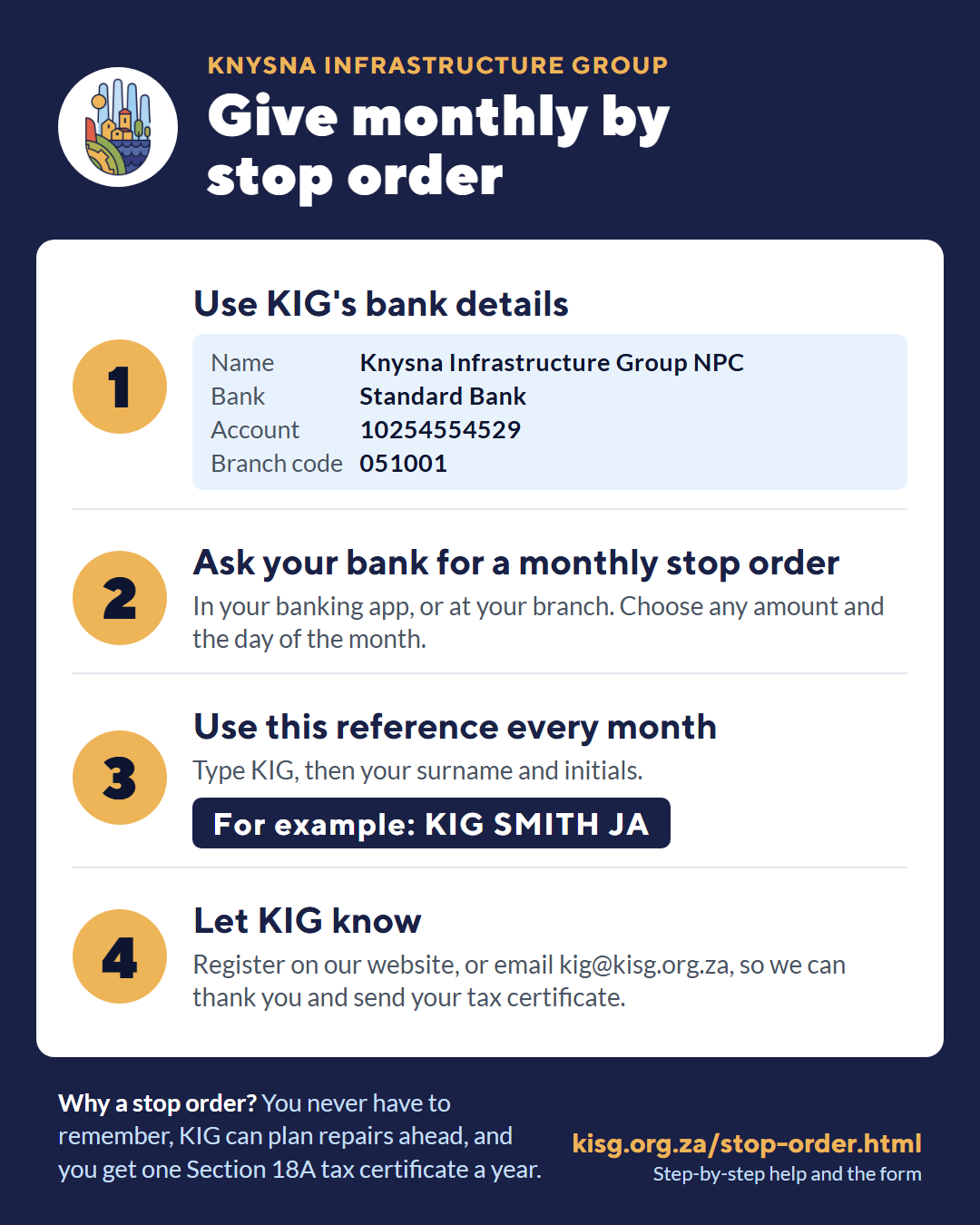
You need three things: KIG's bank details, the amount you want to give each month, and your reference.
KIG's bank details
- Account name
- Knysna Infrastructure Group NPC
- Bank
- Standard Bank
- Account number
- 10254554529
- Account type
- Current (cheque) account
- Branch code
- 051001
These details match KIG's bank confirmation letter from Standard Bank (PDF).
Your reference
Type KIG, then your surname and initials. Use exactly the same reference every month, so we know the money is from you.
For example: KIG SMITH JA
Set it up: choose one way
Way 1 At your bank branch
Best if you prefer to speak to someone.
- Print this page, or show it on your phone. Fill in the box at the bottom.
- Take your ID and your bank card to your bank branch.
- Say: “I would like to set up a monthly stop order to the Knysna Infrastructure Group.”
- Give the consultant KIG's bank details, your monthly amount, the day of the month, and your reference.
- Ask for a printed confirmation and keep it with your papers.
Way 2 In your banking app
The words differ a little from bank to bank. Look for the ones in bold.
- Open your banking app and log in as usual.
- Add KIG as someone you pay. Your bank may call this Add beneficiary, Add recipient or Pay someone new. Type in KIG's bank details from the box above.
- Fill in the references. In Their reference (or Reference on their statement), type your reference, for example KIG SMITH JA. In My reference, you can type “KIG donation”.
- Approve it. Your bank may send a one-time PIN (OTP) or a message to approve on your phone. Only type it into your own banking app.
- Make it monthly. Look for Recurring payment, Scheduled payment, Future-dated payment or Stop order. Choose KIG, your amount, Monthly, the start date, and no end date (or “until cancelled”).
- Check everything, then confirm. Most apps show a summary first. Make sure the account number and your reference are correct.
Stuck? Phone your bank's helpline (the number is on the back of your bank card) and say you want to set up a monthly stop order. They can do it with you over the phone. A family member you trust can also help, sitting with you.
Last step: let KIG know
Your bank does not tell us who you are, only the reference. Please fill in the short form below, or email kig@kisg.org.za with your name, phone number, monthly amount and reference. Then we can thank you and send your tax certificate.
Changing or stopping your stop order
You are always in control. Change or stop it the same way you set it up: in your banking app, or at your branch. Please let us know when you do, so our records stay correct.
Your Section 18A tax certificate
KIG is approved by SARS under Section 18A, so your donations may reduce your income tax. If you ask for a certificate on the form below, we send you one certificate each year before the tax year ends in February. It covers all your stop-order payments for that tax year. You don't need to apply after each payment.
My stop order to KIG (take this to your bank)
Pay to: Knysna Infrastructure Group NPC · Standard Bank · Account 10254554529 · Branch code 051001
Amount every month: R
Day of the month: First payment in (month):
Reference: KIG
Afterwards, let KIG know: kisg.org.za/stop-order.html or kig@kisg.org.za
Tell us about your stop order
This takes about two minutes. Fields marked * are needed.
Prefer to give once, or by card? Donate via PayFast. Questions? Email kig@kisg.org.za or see Contact Us.